Create realistic
liminal videos
Generate liminal and dreamcore images and video with AI—write a prompt, refine with Prompt Wizard, export for TikTok, YouTube, or Instagram.
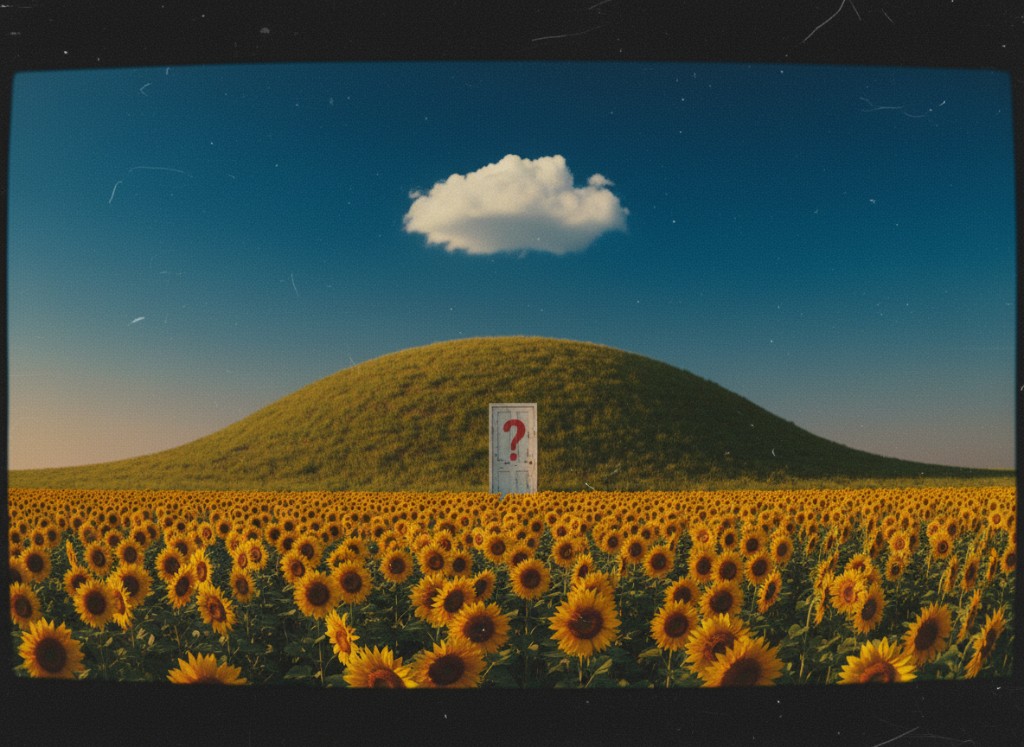
the prompt behind the scene
Scroll the prompt to read the full description — the exact words that conjured this vision.
Found footage, 1980s VHS camcorder. Heavy grain, chromatic aberration, worn tape artifacts, tracking lines flickering intermittently. Shot from 30–40 feet away at a low Dutch angle from behind. Lens slightly dirty. Aspect ratio 4:3, faint REC indicator burning red in the corner.
A narrow urban back alley, late night. Wet brick walls, rain-slicked asphalt. Dim amber street lighting at the far end of the alley.
A goth woman is seen only from behind — long black coat, chunky boots, pale skin, dark hair. She walks slowly forward down the alley toward the far end.
At the end of the alley, lit faintly by distant street light, a giant black cat sits motionless — twice the height of the woman. It fills the end of the alley. Eyes reflect two pale amber points of light in the dark. The woman continues walking slowly toward it, growing smaller in frame the further she gets, the cat growing more imposing.
She stops. She stares up at it.
Muffled ambient audio — distant traffic, dripping water. The silence between sounds feels too long.
How to make an AI video with liminalshort.org
-
Enter your prompt
Head to liminalshort and describe the scene you want—empty corridors, VHS static, analog horror dread, or any liminal mood. A few vivid lines are enough to start generation.
-
Apply selections
Select your aspect ratio and video length so the clip is ready for your platform before you hit generate.
-
Download and post
Download your finished clip and upload it to TikTok, YouTube, or Instagram.
Enter the Dreamscape
What Liminalshort does inside the app—and how each tool fits together
Liminal Generation
Liminalshort is built to take prompts like empty malls after closing, backrooms hallways, motel pools under sodium lights, and VHS analog horror—and turn them into images and videos that read true to that genre. The models and defaults are chosen for liminal and dreamcore work so results stay realistic and on-aesthetic instead of glossy generic AI.
Prompt Enhancement
Thin prompt? Tap Prompt Wizard next to any prompt box—before you hit Generate. It rewrites your text in that same field, adding camera angle, light, and texture so the model lands closer on the first try instead of after endless retries.
Refine with Prompts
Lighting off, mood too clean, or one detail breaking the shot? Click Edit on a finished image—or open Image → Image with a file. That frame is the source; you type what to fix (cooler fluorescents, heavier grain, remove a figure). Each run adjusts the same image instead of throwing away the generation and starting over.
Mobile Friendly
On your phone you get the same workflow as desktop: prompt box, Prompt Wizard, generate, gallery, and edit. Buttons and layout are sized for touch so you can start or tweak a clip without waiting to get back to a laptop.
Beginner-Friendly
No prior AI experience needed. Choose image or video, write a short prompt, hit Generate. If your line is too thin, Prompt Wizard expands it in the same box before you run—so the first outputs are usable instead of a long guessing game.
Cross-Platform
Liminalshort is a web app—open it on laptop, tablet, or phone with the same login. No download, no manual file sync: your gallery and credits follow you. Queue a video on desktop, check it on your phone, export from either device.
Frequently Asked Questions
What is Liminalshort?
Liminalshort is a web app for realistic and surreal liminal-space, dreamcore, and niche horror images and short videos. Open the app, pick a model (Seedream, Nano Banana, Flux, Runway, Wan, Hailuo, Seedance, Kling, and more), type your scene, and Generate. Tap Prompt Wizard (star beside the prompt) first—it rewrites your draft with sharper light, camera, and texture so the result matches your mood.
Can I edit content after it’s generated?
For images: open a gallery result and click Edit, or use Image → Image with an upload. Your frame stays the source; write a short fix (cooler fluorescents, more grain, remove a figure)—not a full reshoot. Use when the scene is close but light, grain, or one detail is wrong. Videos export when done; post-generation edit is image-only today.
Can I cancel my subscription at any time?
Yes. When you’re signed in, open Billing in the app—you’ll see your plan there with a Cancel subscription button whenever an active subscription can be cancelled.
Do I own the content created?
Yes—you own your content in any legal way, including personal and commercial use, as described in our Terms of Service.
I'm not a prompt expert. Can I still use Liminalshort?
Yes. Write where (mall, motel, backrooms), light (3am fluorescents, sodium lot), and mood (dreamcore, analog horror, surreal). Too thin? Tap Prompt Wizard before Generate. Pick image or video, generate, download—no timeline or layers.
What kind of content can I create with Liminalshort?
Stills and short clips for liminal-space, dreamcore, backrooms, analog horror, and surreal niche feeds—realistic empty retail at night or stranger dream-logic POV. Export for TikTok, Shorts, Reels, and thumbnails; tuned to look believable in-feed, not cartoon AI.
How much control do I have over the AI-generated content?
You pick model, aspect ratio, length, and every prompt word. Prompt Wizard sharpens drafts before Generate; Edit / Image → Image fix an image after. Regenerate until it fits—one screen, no layer editor.
How can Liminalshort help me grow my audience and business?
Niche feeds reward scroll-stopping visuals—real corridors that feel wrong, surreal shots that still read as footage. Liminalshort helps you post that look often: strong models, Prompt Wizard, TikTok/Shorts/Reels exports, and a repeatable mood with believable light and grain—not generic AI gloss.
What pricing plans do you offer, and what's included?
We offer straightforward credit-based plans that unlock image and video generation across our model lineup—pick the tier that matches how much you create. Every option is laid out plainly on our Pricing page so you always know what you’re getting.
How does Liminalshort compare to other video creation tools?
Editors want timelines; generic sites ignore your niche. Liminalshort is generate-first for realistic and surreal liminal, dreamcore, and analog-horror stills and shorts—models, prompts, gallery, and image edit in one app. See Pricing for credits.
Is my data safe with Liminalshort?
Yes—we treat your account and usage data seriously and design the product with privacy in mind. Details on what we collect and how we protect it are in our Privacy Policy.
How does Liminalshort stay ahead of the curve in video creation?
We rotate frontier image and video models and update Prompt Wizard for liminal, dreamcore, and surreal niche work. New models land in the picker; your workflow stays the same.
What if I need help or have questions?
We’re happy to help—reach out anytime at [email protected] or use the Contact link in the menu. For billing specifics you can also check Refunds and Terms.
What technical requirements do I need to use Liminalshort?
Just a current web browser and internet access—that’s it. Chrome, Safari, Firefox, or Edge on desktop or mobile all work great, so you can create from almost anywhere without installing heavy software.